The best stock alert apps for 2026


Our content is for informational purposes only and does not constitute financial, investment, or legal advice. Always consult a qualified professional before making financial decisions.
The stock market never sleeps. When prices shift by the second and news breaks around the clock, quick reflexes are a revered skill. That’s why arming yourself with every tool and technique to stay “in the know” is critical for trading success.
A stock alert app is like an alarm clock for your finances, keeping you fast and informed. Whether managing long-term investments or checking prices on your lunch break, reliable alerts help you take advantage of instant opportunities before they slip away.
In this article, we look beyond flashy features and marketing claims to evaluate the best stock alert app based on what matters most, like speed, customization, performance, integrations, costs, reviews, and more. By the end, you’ll have a better idea of exactly which app fits your budget, goals, and investing style.
Before diving into features and comparisons, it’s worth taking a moment to explore how your trading setup compares to others. The tool below from Bankrate helps you evaluate brokerage options and investment platforms before pairing them with a stock alert app. That way, you’ll have a clearer view of both your trading base and the alert system that supports it.
Top Online Stock Brokers
- SoFi®️ — Best for Commission-Free Investing. SoFi®️ Invest is an all-in-one investing platform that combines self-directed trading with access to financial planning and member benefits.
- Public — Great for Multi-Asset Investing. Public is a modern brokerage built for investors who want access to a broad range of asset classes and advanced tools.
- Robinhood — Good for Easy Account Transfers. Robinhood makes investing accessible with a clean, intuitive interface and commission-free trading.
What to look for in the best alert app
Finding the best stock alert app isn’t just about examining the top features. It’s also about considering the one that fits your trading styles, delivers alerts when you want them, and keeps things uncomplicated.
Here are a few key factors to consider when shopping for a stock alert app:
Types of alerts
Every app has a slightly different kind of alert it uses to indicate when different actions are happening. Expect some of the following different types of notifications on a popular stock alert app:
- Price triggers. Let you know when a stock reaches a certain preset target.
- Volume spikes. Will signal unusual trading activity.
- Earnings or events. Notifies you about market updates or company announcements.
Traders who are more advanced may use indicator-based notifications. Some examples include RSI (Relative Strength Index) levels, moving averages, options flow, and insider trade alerts.
Alert speed and reliability
A stock alert only works if it arrives on time. Some apps will send through instant notifications, while alerts in other apps may lag by precious minutes (an eternity in active markets).
Seek out brands that offer alerts with real-time or near-real-time delivery. Some apps are known for fast response times and minimal downtime, ensuring you never miss an important move in the market.
Asset coverage and platform support
Different apps are built to cover different markets, with some overlap. If you trade more than just stocks, you’ll need to check whether the app supports other assets like:
- Cryptocurrency
- Forex
- ETFs
- Commodities
You should also ensure the app you choose is available on both mobile and desktop devices. That way, you can access alerts wherever you are and on whatever device you are currently using.
Customization and notification methods
The best stock alert apps will let you know where to find your alerts, how they will happen, and when they will appear. Most platforms will allow an investor to set multiple triggers, choose a delivery method, and fine-tune thresholds.
Delivery methods can include:
- Text or SMS messages
- Emails
- Phone calls
- Push notifications
- Social media messages
Certain apps will also enable users to customize everything about the alert, from the tone to the delivery channel.
Cost, free tier, and value
While some stock alert apps offer the best features for free, others will lock them tight behind a paywall. Before purchasing or subscribing to anything, compare and contrast what’s included at each price tier.
The systems that offer deeper analytics and more complex tools are likely to cost money. The ultimate goal is to strike a balance between functionality and value. Don’t overpay for features you won’t use.
Use case: day-trader vs swing trader vs long-term investor
How you set up alerts most likely depends on your preferred investing style. Day traders need uber-fast notifications for shifty prices. Swing traders, on the other hand, may prefer an alert app that highlights momentum, earnings catalysts, or volume spikes. Long-term investors will most likely benefit from curated signals and expert research.
Matching an app to investment style ensures alerts actually help make smarter decisions, not just create more noise.
Quick comparison: top stock alert apps at a glance
| App | Free tier | Real-time data | Supported assets | Mobile / web | Cost (paid plans) | Alert types |
| MotleyFool | ❌ No | ✅ Yes (via updates) | Stocks, ETFs, crypto | ✅ Web | $99/year | Stock recommendations, portfolio updates, hedge-fund-grade research |
| Stock Alarm | ⚠️ 7-day free trial only | ✅ Instant data | Stocks, ETFs, crypto, Forex, commodities | ✅ iOS, Android, web | $9.99-19.99/month | Price triggers, trailing stops, volume spikes, extended hours |
| Yahoo Finance | ✅ Yes | ✅ Instant (with premium tiers) | Stocks, ETFs, crypto | ✅ iOS, Android, web | Free-$49.95/month | Price, volume, earnings/events, news alerts |
| TradingView | ⚠️ 30-day free trial only | ✅ Instant | Stocks, Forex, crypto, indices | ✅ iOS, Android, web | $12.95-49.95/month | Price, indicators, strategy, and technical pattern alerts |
| Robinhood | ✅ Yes | ✅ Instant | Stocks, ETFs, options, crypto | ✅ iOS, Android, web | Free / Gold $5/month | Price, earnings, market news, fractional share alerts |
If you’re an active trader, TradingView and Stock Alarm offer the quickest, most customizable alerts. For those looking at long-term, Yahoo Finance and Motley Fool are known for curated insights and deep research. Beginners will often gravitate toward Robinhood as the easiest place to start their investment journey.
The 5 best stock alert apps for every kind of investor
Not every investor will respond to the same alert (nor do they want to). While some crave a noisy, minute-by-minute play, others prefer a quieter, in-depth approach with research and portfolio updates.
Below, we look at the 5 best stock alert apps, including key features, price, and pros/cons, to help you choose the best one for your investing style.
1. Motley Fool: best for long-term wealth

The Motley Fool is built for investors who want a disciplined, research-driven way to build long-term wealth.
Founded in 1993, The Motley Fool provides stock recommendations, portfolio guidance, and in-depth analysis designed to help individual investors outperform over time — not chase short-term trends.
Members don’t just receive stock picks. They gain insight into the thinking behind each recommendation, including the long-term thesis, risks to watch, and how each position fits within a diversified portfolio.
Historically, Motley Fool flagship services such as Stock Advisor have significantly outperformed the S&P 500 over extended periods — demonstrating the power of long-term, conviction-driven investing.
Key features
-
Stock recommendations with long-term focus: High-conviction stock ideas selected by experienced analysts with multi-year growth potential
-
Clear buy and sell guidance:
Each position includes allocation targets, buy zones, and exit logic. No vague “watchlist” ideas
-
Risk-aware positioning: Designed for long-term investors, with roughly index-level volatility and diversification across stocks, ETFs, and an optional crypto sleeve
-
Weekly market commentary. Hedge-fund-grade analysis explaining what matters, what doesn’t, and how it impacts the portfolio
- Full transparency. A live scorecard showing how every position has performed, with no hidden losses or cherry-picked wins
-
Education baked in: Plain-English explanations that help you understand why each investment earns its place
Pricing overview
The introductory offer for new members is $99 for the first year.
Why choose this service
The Motley Fool may be ideal for investors who prefer a long-term, buy-and-hold approach rather than frequent trading. The platform simplifies decision-making by providing structured research, portfolio guidance, and ongoing support designed to help members stay invested through market volatility.
2. Stock Alarm: best for fast trading alerts
Apple Store Rating: 4.8/5 (6.7k reviews)
Stock Alarm takes our top spot by solving a simple but critical issue: timing. This app sends instant trading alerts, while other apps may experience minutes-long delays.As a result, the Stock Alarm app nails a combination of basics that matter most to traders (speed, reliability, and customization) without the bloat of unnecessary features. The app monitors over 65,000 assets and delivers trade alerts through calls, texts, or custom notifications. For traders who can’t afford delays, its speed and reliability are unmatched.
Key features
- 125+ trade alert types. This includes price limits, trailing stops, volume spikes, and more.
- Real-time scanning. Across 65,000+ global assets, like stocks, ETFs, crypto, Forex, commodities, and indices.
- Customizable notifications via calls, texts, emails, or push alerts.
- Market screener. Custom filters and templates based on price, movement, market cap, and fundamentals.
- Availability. iOS, Android, and web platforms.
Pricing overview
Stock Alarm offers a 7-day free trial and two subscription tiers:
- Silver plan. $9.99/month or $96/year; includes 15 tracked stocks, extended hours alerts, and unlimited push notifications.
- Gold plan. $19.99/month or $168/year; includes unlimited tracked stocks, plus all Silver features.
Both plans support multiple alert types, including extended-hours trading for U.S. markets and international notifications. A stock counts as "tracked" once you set an active alert for it.
Why choose this appIf you're an investor who cares about timing and execution, Stock Alarm may be your top app. The system’s real-time performance ensures you never miss important price movements or market shifts. It may be an excellent solution for professionals and day traders who want to monitor multiple markets and stay busy.
3. Yahoo Finance: best for free stock alerts
Apple Store Rating: 4.7/5 (569k reviews)
Play Store Rating: 4.6/5 (218k reviews)
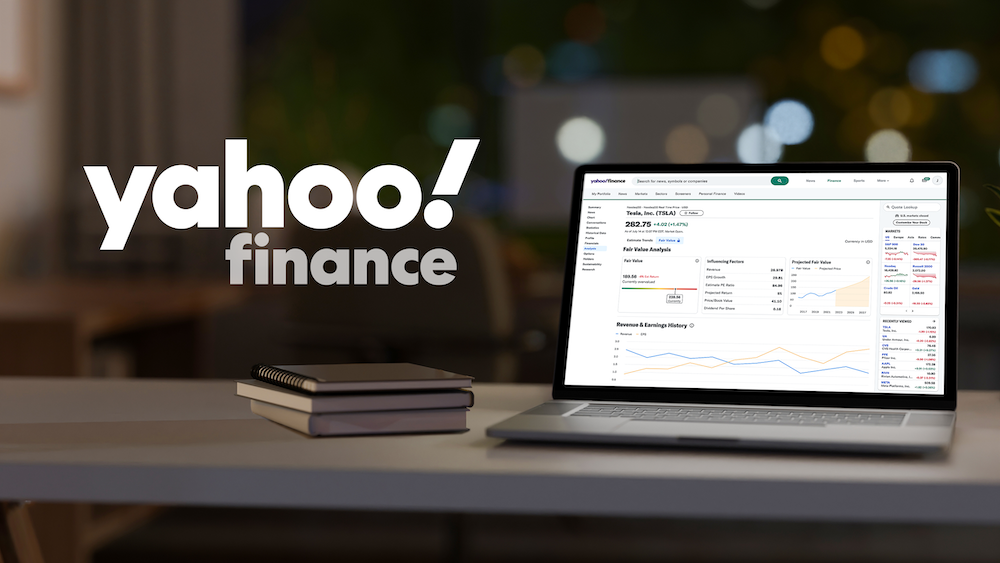
For investors who want to understand why stocks are moving, not just when, Yahoo Finance combines price tracking with instant news updates. You can customize how you get these, choosing between push notifications on your phone or email alerts.
The free app, used by over 20 million people every month, lets you set alerts for stock prices, trading volume spikes, and events, all while feeding you news that explains these movements.
Key features
- Customizable notifications. Stock price changes, trading volume spikes, and relevant news events.
- Personalized news. Alerts for followed stocks.
- Real-time earnings. Economic calendar alerts.
- Synchronization across mobile and web. Enjoy seamless access across mobile devices and web platforms.
- Optional premium tiers. Comes with advanced research and charting tools.
Pricing overview
Yahoo Finance offers several subscription plans:
- Free plan. Real-time market data, stocks, ETFs, crypto tracking, and basic alerts.
- Bronze plan. $9.95/month or $95.40/year; includes portfolio performance trends, unlimited price alerts, and 24/7 support.
- Silver plan. $24.95/month or $239.40/year; adds real-time newsfeeds, premium news access, and research reports.
- Gold plan. $49.95/month or $479.40/year; includes all Silver features plus advanced analysis tools.
- Annual subscriptions provide savings compared to monthly payments.
Why choose this app
Yahoo Finance may be an ideal starting point for casual or cost-conscious investors who want reliable alerts, integrated news, and no learning curve. It can be an excellent solution for learning the ropes.
4. TradingView: best for alert customization
Apple Store Rating: 4.9/5 (254k reviews)
Play Store Rating: 4.7/5 (618k reviews)
Unlike other apps on this list, TradingView offers a blank canvas with unlimited tools. While many apps only track basic price moves, TradingView monitors technical patterns, chart formations, and custom strategies across stocks, forex, and crypto markets.
If you want complete control over precisely what market moves trigger your alerts, this may be the best stock alert app for you. When your conditions are met, alerts are delivered via your choice of push notifications, emails, pop-ups, or webhooks for automated trading setups.
Key features
- Fully customizable alerts for price, indicators, and strategies.
- Advanced charting with 100+ indicators and drawing tools.
- Real-time notifications via push alerts, email, pop-ups, or webhooks.
- Cross-platform access for web, iOS, and Android.
- Large, active user community for sharing strategies and insights.
Pricing overview
TradingView starts with a 30-day free trial, then offers three paid tiers:
- Essential plan. $12.95/month or $155.40/year; includes 2 charts per tab, 20 price alerts, 5 indicators per chart, and basic technical analysis tools.
- Plus plan. $24.95/month or $299.40/year; expands to 4 charts per tab, 100 price alerts, 10 indicators per chart, and additional technical features.
- Premium plan. $49.95/month or $599.40/year; offers 8 charts per tab, 400 price alerts, 25 indicators per chart, and advanced features like tick-based intervals and priority support.
Why choose this app
For advanced traders who rely on charts and technical strategies, TradingView provides unmatched reporting and speed. It’s especially popular among swing and day traders running multiple setups, who may need immediate, customized answers.
5. Robinhood: best for new investors

Apple Store Rating: 4.2/5 (4.4M reviews)
If you are just starting out, Robinhood might be just what you need. This app keeps things simple, offering straightforward price alerts without the complexity of advanced trading platforms. For example, Robinhood sends push notifications when stocks you follow hit specific prices, make big moves, or have important updates like earnings announcements.
Its clean design has attracted millions of new investors, especially since fractional shares let you start trading with just a few dollars. You won't find the sophisticated alert systems of other apps here. Instead, Robinhood focuses on delivering clear, simple notifications about what matters most to everyday investors.
Key features
- Real-time push notifications for stock price changes and earnings reports.
- Simple alerts for market news and updates.
- Fractional share alerts, allowing investments in high-priced stocks with as little as $1.
- Instant notifications of account activity and deposit confirmations.
- Advanced research and trading tools. Robinhood Gold provides access to professional research and margin trading features.
Pricing overview
Robinhood offers a free version that includes basic stock alerts, allowing users to receive notifications for price changes, earnings reports, and significant market news.
This makes it accessible for beginners who want to start investing without any upfront costs.
For users seeking enhanced features beyond stock alerts, Robinhood Gold is available for a subscription fee of $5 per month or $50 annually.
Why choose this app
Robinhood may be the perfect platform if you’re new to investing and want a straightforward, no-fee alert system within an app that’s easy to learn. There is barely a learning curve here, and you can get started immediately.
Which alert app should you choose?
Choosing the right stock alert app all depends on how you invest and how involved you want to get.
Here’s a quick way to match investing style with the best option:
For daily trades with instant alerts:
→ Choose Stock Alarm or TradingView
Both systems offer lightning-fast notifications and advanced customization for faster, real-time trading.
If you only trade a few times a week or follow momentum trends:
→ Choose Stock Alarm
It’s a reliable, simple solution that’s ideal for tracking price swings and volume spikes.
If you hold investments for the long term and want expert guidance:
→ Choose Motley Fool Stock Advisor
It focuses on long-term stocks backed by deep research (not daily noise).
If you mainly want to track your portfolio for free:
→ Choose Yahoo Finance
It has real-time price alerts, breaking news, and an exceptional free tier.
If you’re just getting started and want an easy, all-inclusive experience:
→ Choose Robinhood
It offers fast alerts, free trading, and an intuitive interface that may be preferable for beginners.
How to set up alerts without getting overwhelmed
Stock alerts can be powerful tools, but too much noise or too many at once can cancel each other out. Thus, it’s good to understand some best practices before setting up all your alerts to trigger. Here’s how to build a notification system that works for you:
- Pick your focused watchlist. Begin by identifying a handful of stocks, ETFs, or other assets that genuinely matter to your portfolio. Avoid adding every trendy ticker you see online. A focused watchlist reduces noise and keeps your notifications relevant.
- Set meaningful triggers. Every alert you set must have a purpose. Instead of triggering random price thresholds, choose alarms that are tied to your strategy. This can be anything, from a stock breaking a specific ceiling to hitting your profit target or dropping enough to become a buying opportunity.
- Avoid alert fatigue. If your phone is going off every five minutes, chances are stock triggers will not phase you, and you’ll start ignoring them altogether. Limit alerts to events you know you’ll actually act on. For example, some traders only enable real-time price alerts when the market is open. It makes sense since you can’t do much at any other time. To avoid alert fatigue, long-term traders will stick to major moves or earnings announcements.
- Test latency. Speed always matters when investing. It’s always a good idea to run a few test alerts to see how quickly your app delivers them. Is it immediate, or is there a lag? While some apps send near-instant notifications, others may lag by several minutes. Understanding this timeframe helps you gauge how much lead time you have to react.
- Continuously review and adjust. An investor's portfolios, goals, and priorities may change over time. It’s wise to consistently revisit your alert setup to remove any irrelevant notifications and add important new ones that more closely align with current goals.
The more you manage and maintain your alert system, the more accurate and timely your notifications will be.
Summing it up
Choosing the best stock alert app generally boils down to the type of investor you identify as and how much you want to participate in the market.
For quick, customizable alerts, Stock Alarm and TradingView are leaders of the pack. For long-term guidance and expert research, Motley Fool delivers both depth and direction. Yahoo Finance remains the most dependable and free option, while Robinhood is the best place for those just starting out.
No matter what solution you select, the goal is always collective: stay informed, react quickly, and make decisions backed by good data. Using real-time alerts and a custom setup, any investor can turn volatility into opportunity and approach daily trading with confidence.
Frequently asked questions
What is the best alert app for beginners?
Robinhood may be the best stock alert app for beginners. It’s a simple and intuitive solution that’s free to use. Investors can set clear push notifications for things like earnings updates, price changes, and market news. Plus, it lets new investors start small with commission-free trades and fractional shares.
Can I get alerts for options/insider trades?
In some cases, yes. More advanced apps, like Stock Alarm and TradingView, offer alerts for options trading, technical indicators, and insider trades. These features are helpful for traders who may want to monitor institutional buying or unusual market activity in real time.
Will alert apps replace manual research?
No, they never would and never should. Stock alert apps are meant to support your research, not replace it. Notifications will always help you react faster, but you still need to evaluate fundamentals, earnings reports, and market conditions before making a final decision. The best investors use alerts as only a small part of a broader strategy.
Can I use alert apps for crypto/commodities?
Yes. Multi-asset platforms like TradingView and Stock Alarm let you set alerts for crypto, Forex, and commodities (in addition to traditional stocks and ETFs). If you trade across several markets, these apps will generally make it easier to track everything in one place.